Send buyers to a link instead of a file
Use an external or affiliate link product to send buyers to a course, Notion page, Drive folder or affiliate offer.
- Click + Add product in My Products.
- Click Or send buyers to a link (affiliate / external).
- Paste the full web address under External / affiliate link. It must start with https://.
- Fill in the title, price and cover, then click Save product.
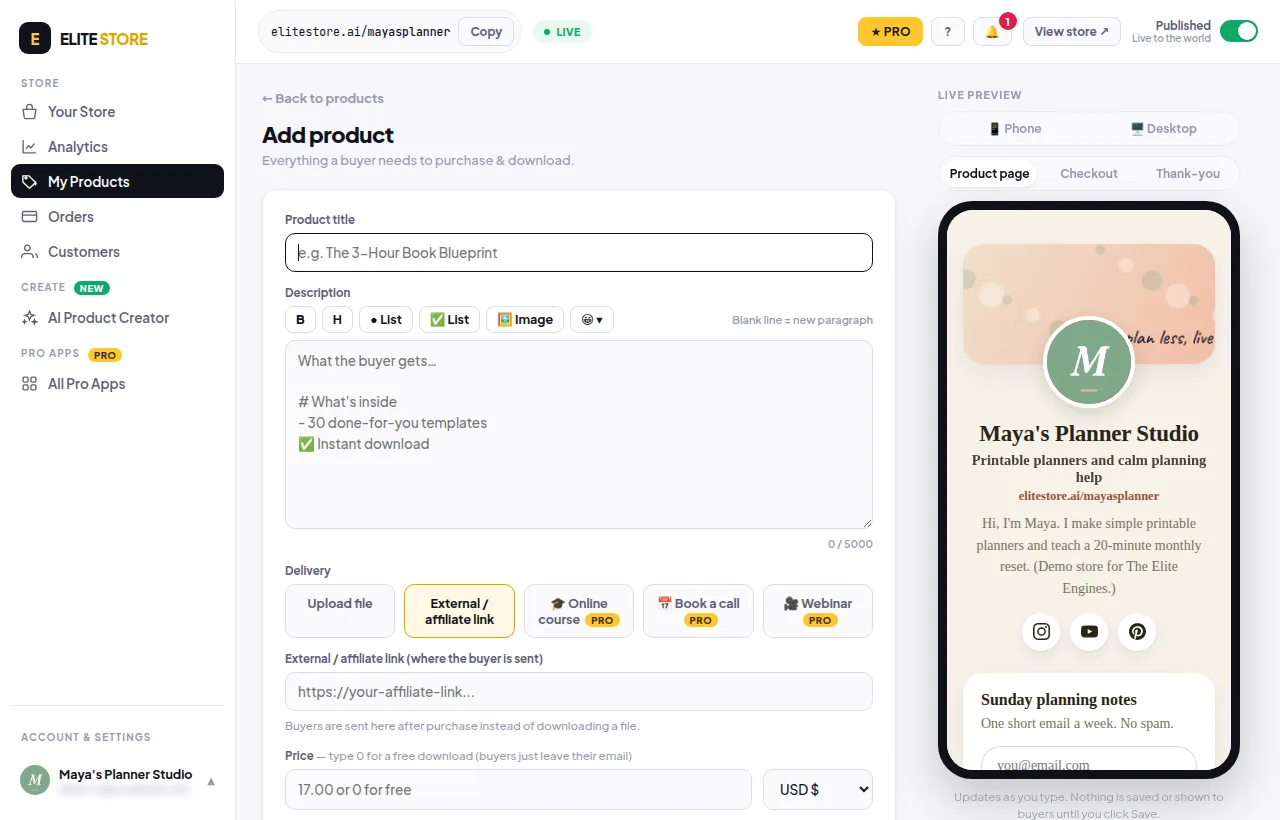
Buyers are sent to that address after purchase instead of downloading a file.
Was this helpful?Thanks for letting us know.
Questions? Email support@theeliteengines.com.