UPI / Razorpay isn’t showing for a product
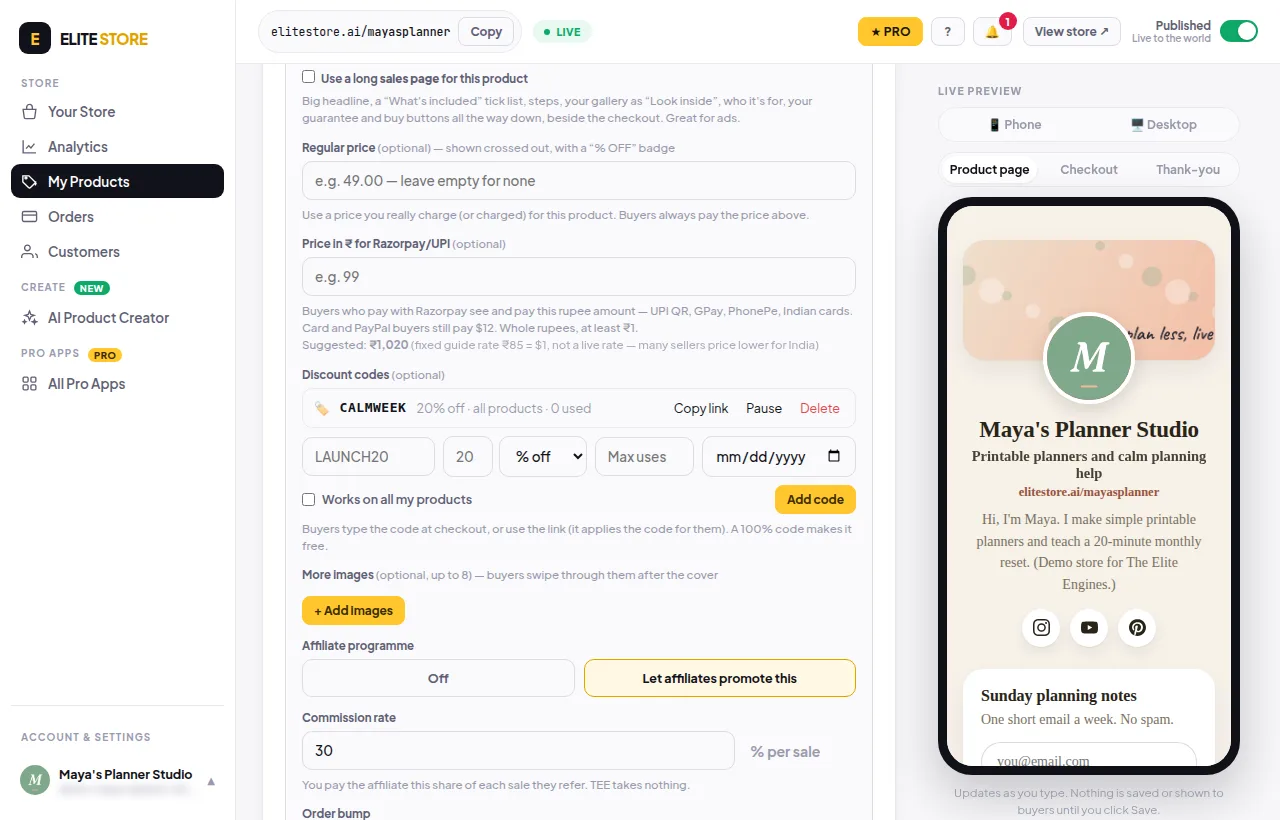
Razorpay needs a rupee price. Price the product in INR, or add a ₹ price under More options.
Buyers see “UPI / Indian cards aren’t available for this product” when the product has no rupee price.
- Edit the product and open More options.
- Fill in Price in ₹ for Razorpay/UPI (whole rupees). Or set the product’s currency to INR ₹.
- Do the same for any add-on you offer with it.
- Click Save product.
Was this helpful?Thanks for letting us know.
Questions? Email support@theeliteengines.com.