PayPal says my keys are wrong or Sandbox
Use Live keys from developer.paypal.com with Test mode unticked. Sandbox keys only work with Test mode ticked.
- On developer.paypal.com open Apps & Credentials.
- Switch the toggle at the top to Live.
- Open (or create) your app and copy the Client ID and Secret again.
- In Elite Store, paste them with Test mode unticked, then Connect & verify.
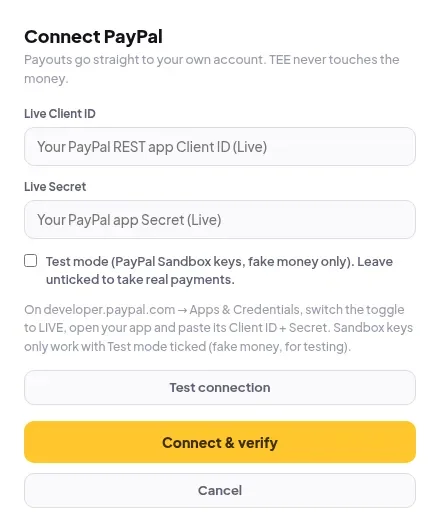
If you pasted Sandbox (test) keys without ticking Test mode, Elite Store stops you, because buyers couldn’t pay you real money.
Was this helpful?Thanks for letting us know.
Questions? Email support@theeliteengines.com.