Show real recent-sales pop-ups
A small “Priya from India bought…” note on your store, from your real paid orders only.
- Go to Store settings → Notifications.
- Turn on Show recent-sales pop-ups on my store.
- Click Preview how it looks if you like, then Save notifications.
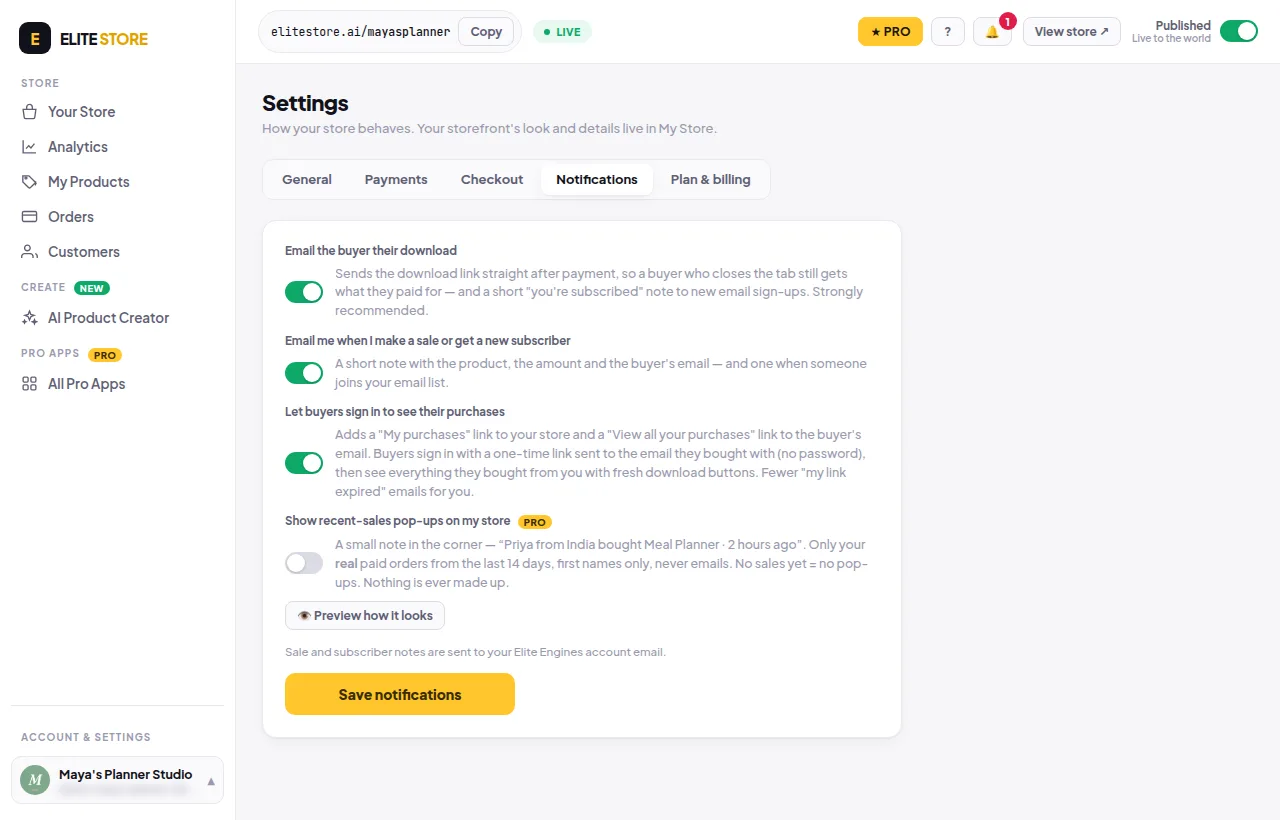
Pop-ups use only your real paid orders from the last 14 days, with first names only and never emails. No sales yet means no pop-ups. Nothing is ever made up.
⭐
Recent-sales pop-ups are an Elite Store Pro feature. Compare plans
Was this helpful?Thanks for letting us know.
Questions? Email support@theeliteengines.com.