Email your customers
Send newsletters and automatic welcome emails to buyers who said yes at checkout.
- Open Email (pin it from All Pro Apps).
- On Setup, turn on Collect subscribers at checkout. This adds an unticked “Email me news and offers” box.
- Fill in Sender details: from name, from address, reply-to email and a postal address. Nothing can be sent until these are saved.
- Write a Broadcast. Use {{first_name}} to greet people by name. Click Send a test to me, then Send now.
- Optional: set up Welcome emails (Day 0, Day 3 and so on) for new subscribers.
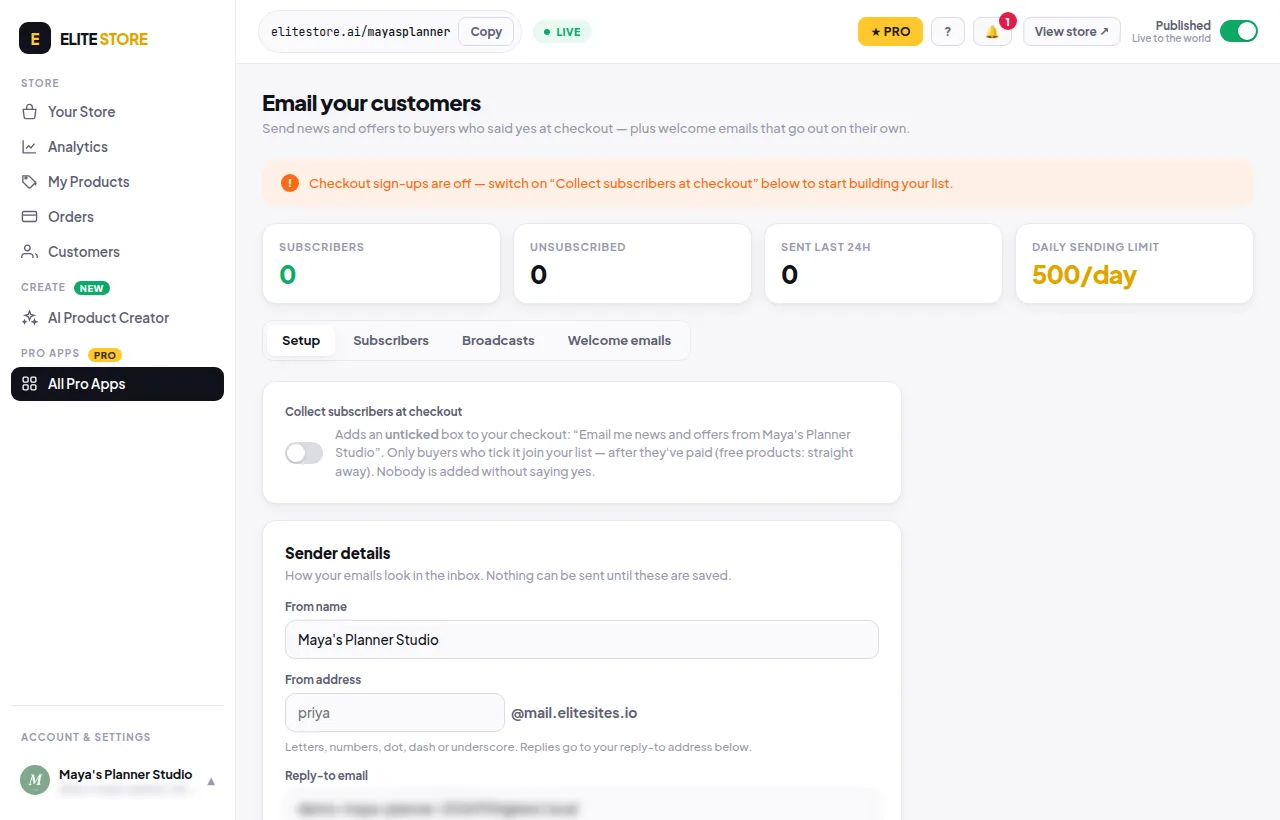
- Only buyers who tick the box join, after they pay (free products: straight away).
- The unsubscribe link and your postal address are added to every email.
- Sent counts are real delivery records. Opens and clicks are not tracked.
⭐
Emailing your customers is an Elite Store Pro feature. Compare plans
Was this helpful?Thanks for letting us know.
Questions? Email support@theeliteengines.com.