Add your name, bio, picture and social links
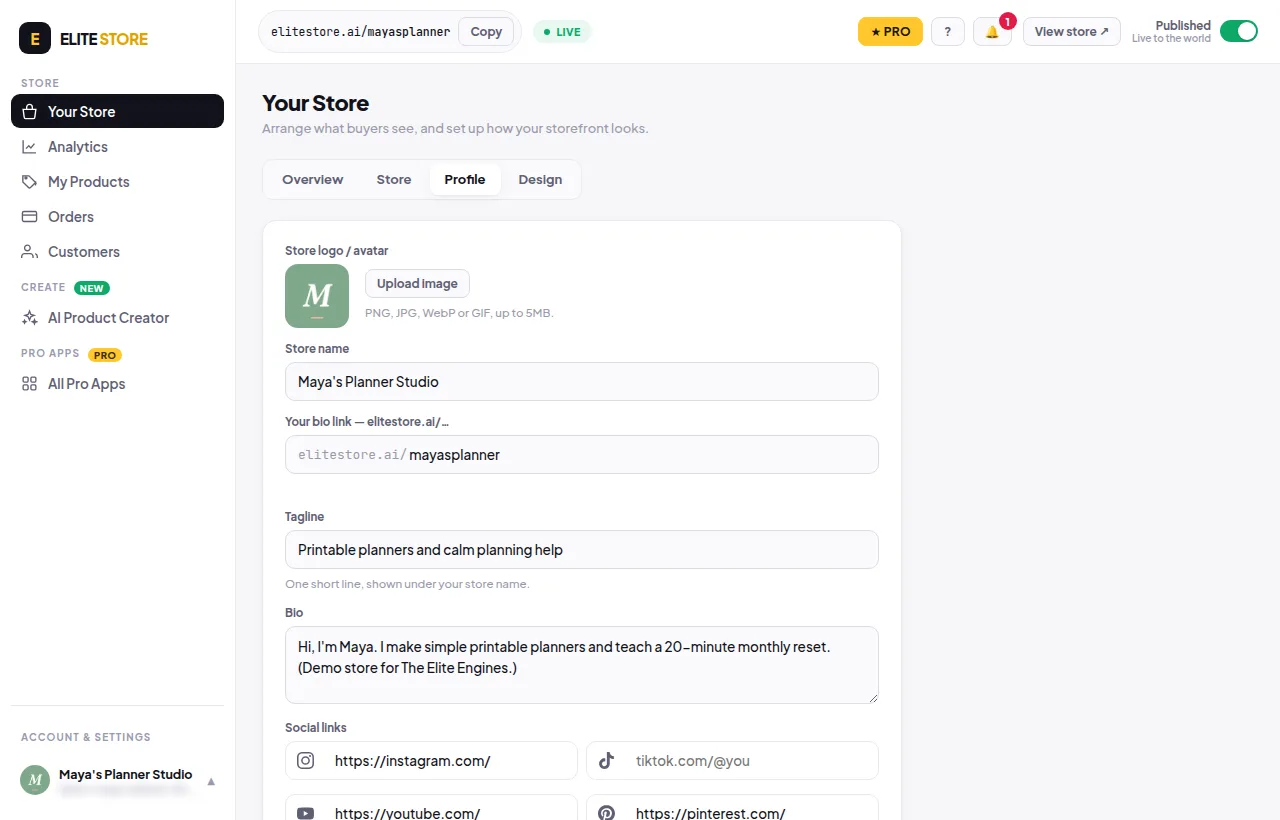
Fill in the Profile tab: store logo, store name, tagline, bio and social icons.
- Go to Your Store → Profile.
- Store logo / avatar: click Upload image. PNG, JPG, WebP or GIF, up to 5MB. Square pictures look best. It shows as a circle.
- Store name: the big name buyers see at the top of your store.
- Tagline: one short line under your store name.
- Bio: a line or two about you or your brand.
- Social links: paste full links (https://…). Leave a box empty to hide that icon.
- Click Save profile.
💡
Your bio link (elitestore.ai/…) is shown on this tab too. Changing it follows the same 30-day rule as the Your link box.
Was this helpful?Thanks for letting us know.
Questions? Email support@theeliteengines.com.