Accept crypto with Coinbase Commerce
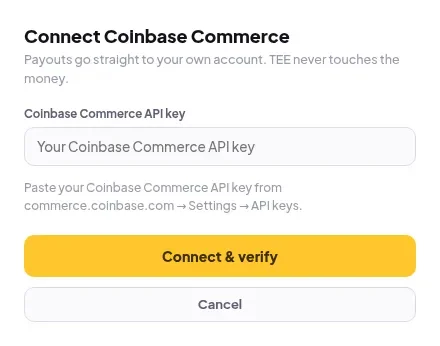
Paste your Coinbase Commerce API key to accept BTC, ETH, USDC and more.
- In Coinbase Commerce, open Settings → API keys and copy your key.
- In Elite Store, go to Store settings → Payments and click Connect Coinbase Commerce.
- Paste it into Coinbase Commerce API key and click Connect & verify.
Crypto payments confirm on-chain, and fast coins are instant.
⚠️
Crypto orders can’t be refunded from Elite Store. Refund the buyer yourself, then use Mark as refunded. See Refund an order.
Was this helpful?Thanks for letting us know.
Questions? Email support@theeliteengines.com.